

ZKTeco Kenya Leading Distributor +254 110520675 sales@zkteco-kenya.com
ZKTeco Kenya · Product catalogue

ZKTeco Attendance and Security Software in Kenya

ZKTeco POS and retail hardware includes checkout terminals, barcode scanners, receipt printers and supported peripherals. This category also includes ZKTeco interactive boards for presentation and collaboration spaces; these are a separate product type from checkout terminals.

For a Kenyan retail project, begin with the POS application and operating system you intend to use. Then check that the terminal, scanner, printer and other components support the required connections and daily workflow.

ZKTeco software connects supported devices with the management workflow required by an organisation. This category focuses on two ZKTeco platforms in the catalogue: BioTime for time and attendance management, and ZKBio CVSecurity for compatible physical security systems.

Choose the platform by its intended purpose, then confirm the device models, software edition, licence scope and deployment requirements. A device carrying the ZKTeco name does not by itself establish compatibility with every ZKTeco software platform.

Request ZKTeco Software from Kenya

ZKTeco kenya by Endless Data helps companies request genuine ZKTeco Software solutions from Kenya. We support product selection, quotation, supply, installation guidance, device configuration, software setup, HR/payroll integration, warranty handling and after-sales support across Kenya.

Available ZKTeco examples in this section include ZKTeco BioTime, ZKTeco ZKBio CVSecurity, Bio Gym, Whatsapp API, Guestflow. For buyers looking for an authorized ZKTeco distributor in kenya, Endless Data provides local consultation, showroom support, technical guidance and project-based supply.

Request ZKTeco Quote
ZKTeco BioTime time and attendance software
ZKTeco BioTime

Time and Attendance Software

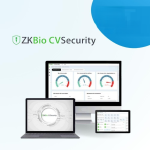
ZKTeco ZKBio CVSecurity web-based security management software
ZKTeco ZKBio CVSecurity

Web-Based Security Management Software

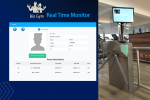
Bio Gym gym membership and access software
Bio Gym

Gym Membership and Access Software

Whatsapp API whatsapp messaging integration
Whatsapp API

WhatsApp Messaging Integration

Guestflow visitor management software
Guestflow

Visitor Management Software

ZKTeco software platforms in this catalogue

BioTime for time and attendance

ZKTeco describes the current platform as ZKBio Time. It provides web-based attendance management for supported ZKTeco push-communication devices. For a Kenyan organisation, define the required attendance reports, shifts, employee records and device connections before selecting the edition and licence.

ZKBio CVSecurity for physical security management

ZKBio CVSecurity is ZKTeco's platform for managing compatible physical security systems. Begin with the functions your project requires, the connected hardware and the administrators who will operate the system. Confirm the supported devices and licensed modules for the proposed version.

Confirm compatibility before purchasing

  • Record every device model and its firmware version.
  • Confirm the required software edition, communication method and supported device list.
  • Define user numbers, sites, modules and administrator roles.
  • Check current server, operating-system and database requirements in the publisher's documentation.
  • Agree the licence activation, backup, update and support arrangements.

Plan reporting and integration

For attendance, agree the shift rules, approval process and reports needed by the team. If records must reach an HR or payroll system, identify the required fields, export or API method and integration responsibilities. Installing attendance software does not by itself complete a payroll integration.

For security management, define the permissions and operational workflow before connecting devices. Include an acceptance check using the actual equipment and tasks, so the deployment can be assessed against the agreed requirements.

Software deployment for organisations in Kenya

Consider whether administrators and devices operate at one location or across several branches. Plan network access, account permissions, backups and the process for maintaining employee or credential records. Confirm the proposed hosting arrangement and the people responsible for installation and ongoing administration.

ZKTeco software licence prices in Kenya

Request a quotation in KES for the named platform, edition and licence scope. Specify the required devices, users, sites and modules, then ask which installation, training, integration, updates or support services are included. Use the written quotation to confirm the scope before deployment.

Check the publisher's documentation

Review the current ZKTeco documentation for ZKBio Time and ZKBio CVSecurity when checking supported functions and deployment requirements.

Frequently Asked Questions

BioTime, described by ZKTeco as ZKBio Time, focuses on time and attendance management for supported devices. ZKBio CVSecurity manages compatible physical security systems. Choose by the intended workflow and confirm the edition, device support and licence scope.

Do not assume that every device is supported. Confirm the exact model, firmware, communication method and software version against the current compatibility information before purchasing or deploying the software.

Payroll integration requires an agreed data exchange method, field mapping and configuration for the receiving system. Confirm any export, API or licence requirements and assign responsibility for implementation and testing.

Define the devices, users, sites and required modules. Check the current deployment requirements, network access, administrator roles, licence activation, backups, maintenance and support arrangements for the selected platform.

Provide the platform name, edition or required functions, device count, users and sites. Request a KES quotation identifying the licence scope and any installation, training, integration, updates or support charges.

ZKTeco hardware for checkout and retail workflows

  • POS terminals: compare the listed processor, memory, storage, operating system and display options for the selected configuration.
  • Barcode scanners: match the supported barcode formats, connection method and scanning arrangement to the products or documents being read.
  • Receipt printers: check paper size, printer interface, drivers and compatibility with the POS application.
  • POS peripherals: establish the role of each accessory and confirm its connection to the terminal or application.
  • Interactive boards: select these for meeting, training or presentation spaces rather than treating them as checkout equipment.

Browse ZKTeco retail and display products

These catalogue examples cover different parts of a retail or collaboration project. Review each product page for its listed specifications and available configuration.

Build a complete POS hardware plan

A hardware purchase should follow the software workflow. Confirm whether the proposed POS terminal includes an operating system, a POS application licence or only the terminal hardware. Record the required printer and scanner interfaces, connection ports and customer-facing display options.

Test the scanner with representative barcodes and the printer with a sample receipt from the chosen application. Reading a QR code is one function; processing a payment requires the appropriate application and payment integration. Confirm that integration separately.

Retail projects across Kenya

A checkout counter in Nairobi, a shop in Nakuru and a branch in Eldoret can have different transaction volumes and counter layouts. Specify the number of tills, available workspace, network access, preferred connections and whether components will be shared between workstations.

For multiple branches, keep hardware configurations and setup records consistent so that replacements and future expansion can be planned more easily.

ZKTeco POS hardware prices in Kenya

Request a quotation in KES listing the exact terminal, scanner, printer and peripheral models. Confirm the supplied operating system and any application licences, configuration work, delivery, warranty and support terms. Interactive boards should be specified separately by model, intended room use and installation needs.

Include the project location, number of checkout points and chosen POS application when asking for a hardware recommendation.

Frequently asked questions

Does a ZKTeco POS terminal include POS software?

The hardware listing does not establish that a POS application licence is included. Confirm the supplied operating system, application licence, drivers and configuration scope for the exact terminal being quoted.

Which ZKTeco products are included in this category?

The category covers POS terminals, barcode scanners, receipt printers, POS peripherals and interactive boards. Interactive boards are intended for presentation or collaboration uses and should be specified separately from checkout equipment.

Can a barcode scanner process QR payments?

Barcode or QR reading is different from payment processing. Confirm the barcode formats supported by the selected scanner and verify the required payment workflow with the POS application or integration provider.

How do I choose a receipt printer for my POS system?

Check the paper format, connection interface, operating-system drivers and compatibility with the POS application. Confirm these requirements before choosing a printer and test a sample receipt during setup.

How can I request a ZKTeco POS quotation in Kenya?

Provide the number of checkout points, chosen POS application, project location and required peripherals. Ask for a KES quotation identifying each hardware model and any operating-system licences, setup, delivery and support charges.